Creating a Vision Board Online 2027
A twenty minute walkthrough in your browser, from a blank grid to a 2027 board on your lock screen.
Creating a vision board online for 2027 takes about twenty minutes: choose a word for the year, open a free browser builder, upload one image per goal, add a 2027 target month and first step to each, then save the board as an image and set it as your phone or desktop wallpaper.

Creating a vision board online 2027-style is the fastest way I know to get a year board off the ground. No scissors, no glue, no waiting for a free weekend. Here is the exact walkthrough I use, start to finish, in about twenty minutes. If you want the tool-agnostic version, my guide on how to make a vision board online covers any builder.
What do you need for creating a vision board online 2027 style?
A browser, a handful of images saved to your device, and a rough idea of three to five goals for the year. If you have not chosen a theme yet, pick one word for 2027 first; my list of 2027 vision board words is a good place to browse. Your own photos are the best images of all, and if you plan to share the board publicly, use openly licensed images under Creative Commons licences.
How do you create a vision board online for 2027, step by step?
1. Choose your word for 2027
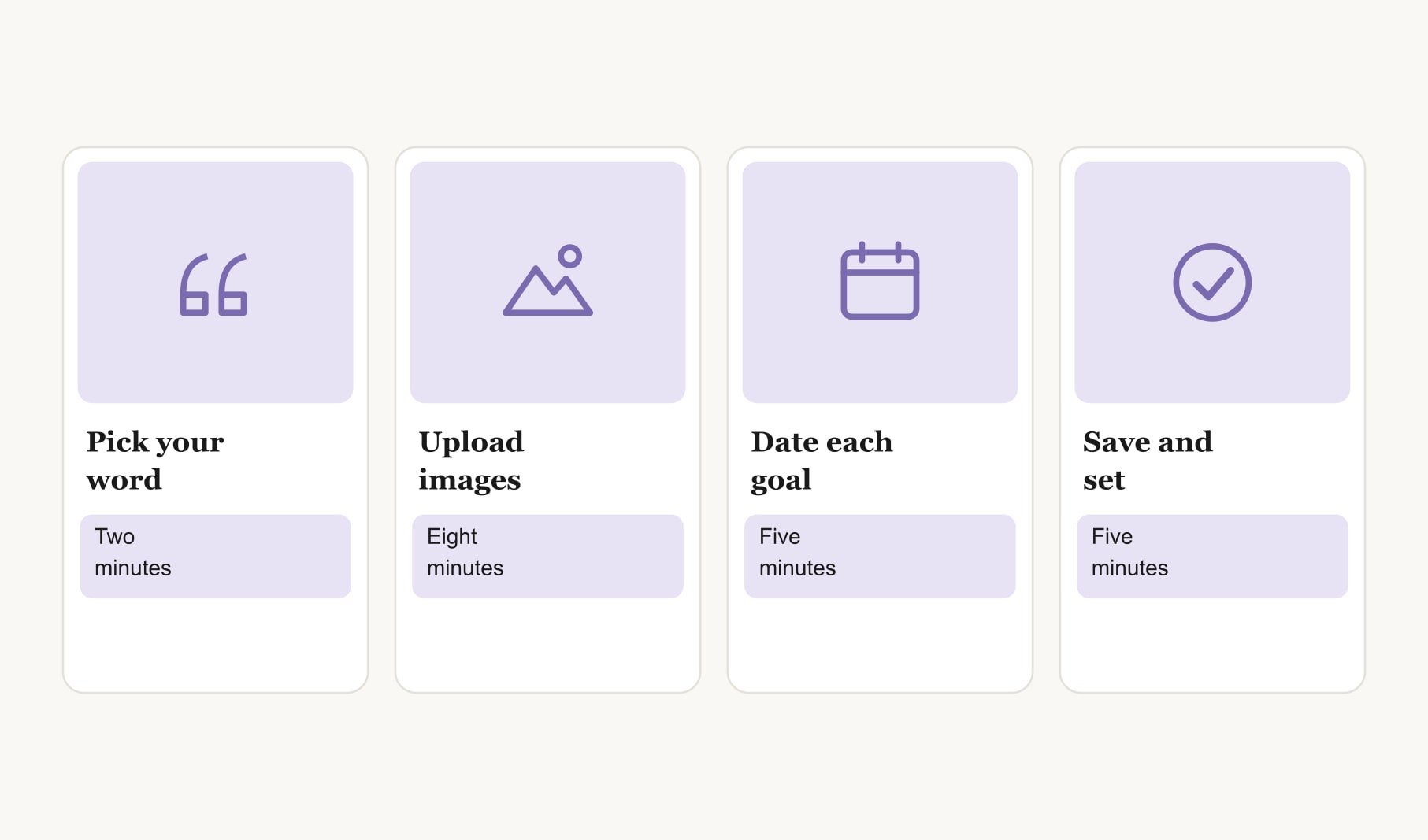
Two minutes. Say it out loud. Steady, brave, rooted, open. It will sit at the top of your board and in the file name.
2. Open a free browser builder
Look for one that needs no account and lets you save the result as an image. The builder linked below runs entirely in your browser and keeps nothing once you close the tab, which is private but means saving matters.
3. Upload one image per goal
Eight minutes. Click into each square and upload an image from inside the goal: the view from the trip, the corner of the finished room, the trail you want to run. Leave one or two squares empty for goals that appear later in 2027.
4. Add a 2027 month and a first step to each image
Five minutes. Under every picture, a target month and the smallest action that starts the goal. “Course, March, enrol this week.” Spread the months across the year so something is always starting or finishing.
5. Save the board as an image
Before anything else. Name the file with your word, like “2027 steady”, and keep it in one folder with your past boards.
6. Set it as your wallpaper
Five minutes. Phone lock screen, desktop background, or both. If you want a layout built for a phone screen, the 2027 vision board wallpaper is designed for exactly that.

How do you keep an online 2027 board going?
Pick a monthly review date, like the first Sunday of each month. Open the saved image, ask what moved, and rebuild the board online in a few minutes if goals have changed. Track the small weekly actions in a habit tracker for your vision board, so the board stays clean and your progress stays visible.
How do you choose images when creating a vision board online?
Pick pictures that show each goal from the inside: the café table in the town you want to visit, not an aerial postcard of it. Screenshots are fine for a private board. Keep the light and colours roughly similar across the nine squares so the finished board feels calm rather than busy. And choose one image that makes you smile the second you see it, then put it in the middle. That is the square your eye will go to first every time you unlock your phone in 2027.
Can you share an online 2027 board?
Yes, once it is saved as an image. Send it to one friend who will cheer you on, post it in a family chat, or pin it. Sharing with one supportive person adds a little accountability without pressure. Keep very personal goals private if sharing them would make you less honest with yourself.
What if you want a printed copy too?
Print the saved image on matte paper and pin it somewhere you pass every day, like beside the mirror. Many people keep the printed copy at home and the digital copy on their phone, so the same 2027 goals follow them everywhere.
What mistakes should you avoid when creating a vision board online?
Forgetting to save before closing the tab is the classic one. Close behind it: too many goals, images with the year printed on them that look dated fast, and tiny captions nobody can read on a phone. Keep it to five goals or fewer, pictures from inside each goal, and one short line of text per image. That is a 2027 board you will actually look at.
Keep reading
Creating a vision board online 2027: your questions
Creating a vision board online for 2027 takes about twenty minutes once you know your goals: two minutes to choose a word, around eight to upload images, five to add months and first steps, and five more to save the board and set it as your wallpaper.
Not always. Some tools let you create a vision board online with no account at all, working entirely in your browser. The trade-off is that nothing is stored after you close the tab, so save the finished board as an image before you leave the page, every single time you use it.
Use images from inside each goal, such as the view from a trip or a corner of a finished room. Your own photos work best. Avoid images with a year printed on them, and use openly licensed pictures if you plan to share your online vision board.
Save your online vision board as an image, then open your phone or computer settings and choose it as the lock screen or desktop background. For phones, a tall layout with the main goal just below the clock works best.
Yes. Save the online vision board as an image and print it on matte paper at home or at a print shop. Many people keep a printed copy on the wall and the same board as their phone wallpaper, so the goals follow them everywhere.
Review your online 2027 vision board once a month, ideally on a set date. Because rebuilding it online takes only a few minutes, you can swap finished goals for new ones and adjust dates whenever your plans for the year change.
The most common mistake is closing the tab before saving, especially with browser tools that store nothing. Save the finished vision board as an image first, name the file clearly with your word for the year, and keep it in one folder with your past boards.
Keep your vision board alive
A board built in your browser resets when you close the tab. Vision Boardly saves your boards, reminds you as each vision date arrives, and tracks the habits and moods moving you toward them.
Get Vision Boardly Free