Can I Make a Digital Vision Board
Short answer: yes. Longer answer: here is how to tell whether digital suits you, and how to start tonight.
Yes, you can make a digital vision board with just a phone or computer. Choose three to six goals, pick an image for each from your camera roll or openly licensed sources, arrange them in a browser tool or collage app, add a month and first step, then set the board as your lock screen or wallpaper.

“Can I make a digital vision board, or does it have to be paper?” I hear this a lot, usually from people who feel a digital board is somehow less real. The answer is yes, you absolutely can, and for many people a digital board works better. Here is how to tell whether it suits you, and how to make one in about fifteen minutes.
Can I make a digital vision board that really works?
Yes. A board works through attention, clear goals and daily cues, and a digital board does all three. In fact, a phone board is often seen far more than a wall board, because you look at your phone dozens of times a day. What matters is not the format but that you see it and act on it.
Is digital right for you?
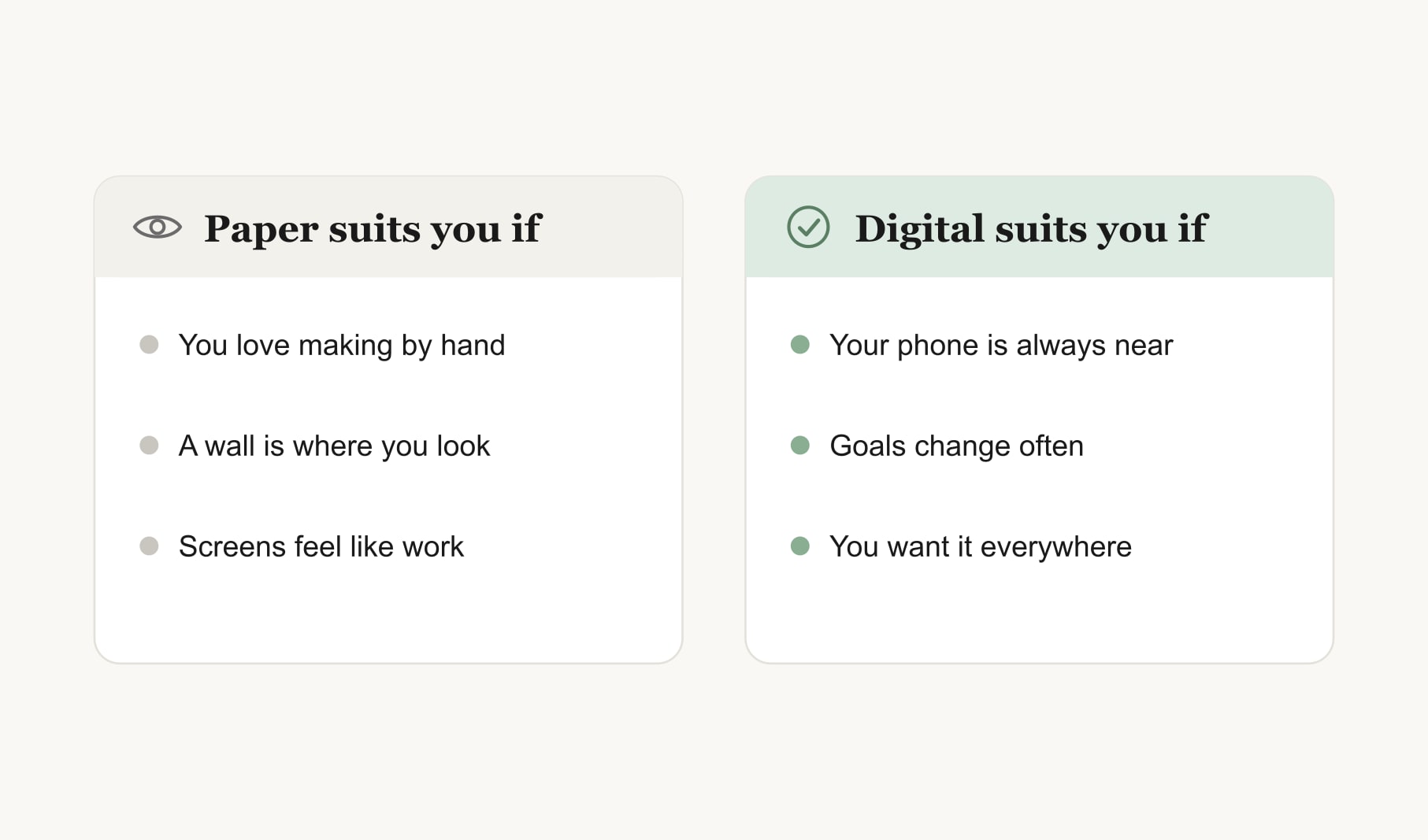
Digital suits you if your phone or laptop is always near, if your goals change often and you want to update quickly, or if you want your board with you everywhere. Paper suits you if you love making things by hand, if a wall is where you naturally look or if screens already feel like work. Many people use both.
What do you need?
A phone or computer and your camera roll. That is enough. A free browser tool or collage app helps with arranging, but even a simple photo grid works. No special software and no design skills are needed.
How do you make one in fifteen minutes?
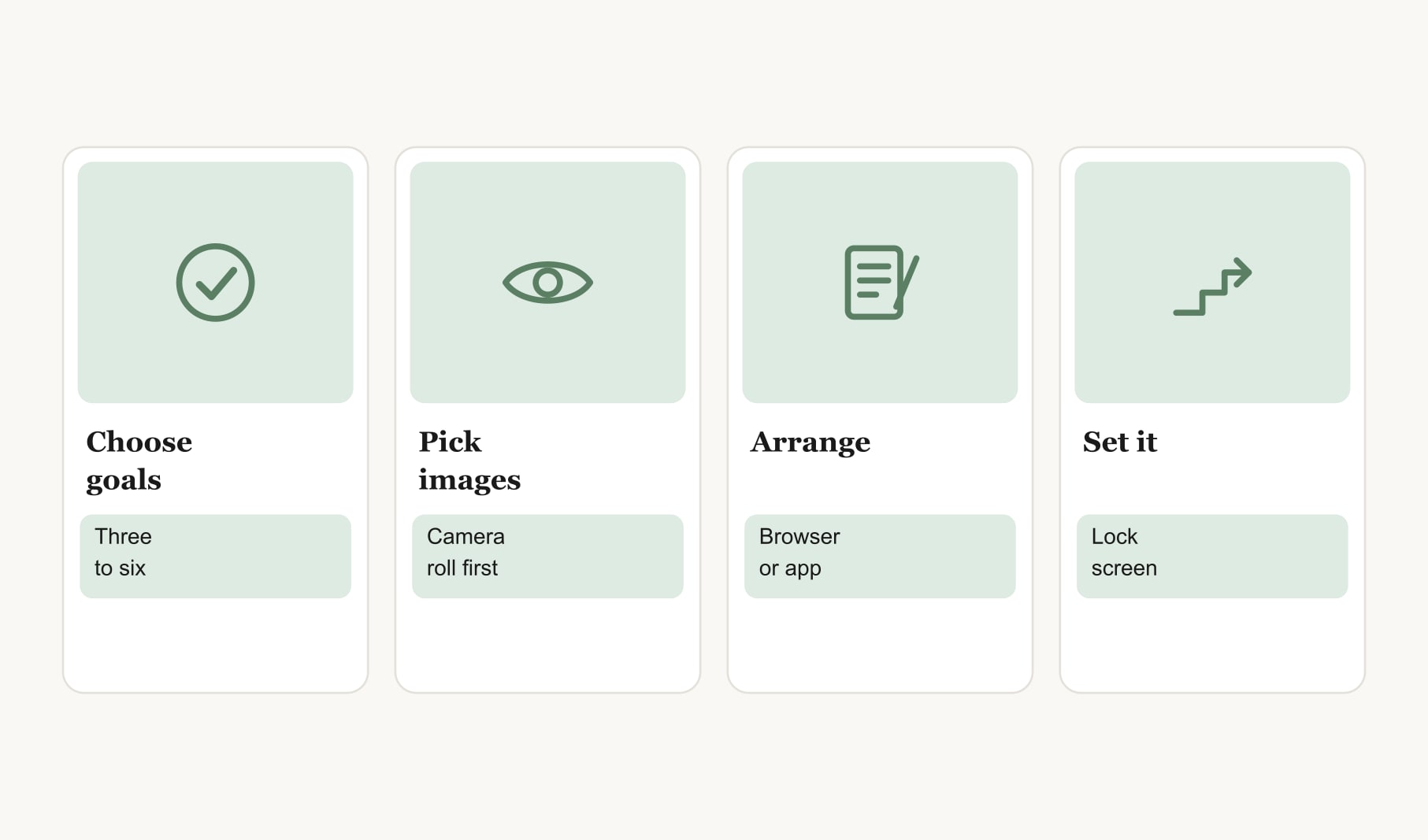
Choose three to six goals. Pick one image for each, starting with your own photos. Arrange them in a browser tool or collage app. Add a short caption with a month and a first step. Save the image and set it as your lock screen or wallpaper. Done. It really can be that quick, and you can always make it more elaborate later once the habit of looking at it is in place.
Where do you find images for a digital board?
Your camera roll first; your own photos are the most personal. Then take new photos of things that stand for goals. For anything else, use openly licensed images and check the terms. For more ideas on formats and screens, see my digital vision board ideas.
What are the downsides of a digital board?
It can get lost among other apps and notifications. It lacks the tactile pleasure of making something by hand. And it is easy to keep tweaking instead of acting. The fixes are simple: set it as your lock screen so it is unmissable, and keep a paper copy somewhere if you miss the tactile side.
How do you keep a digital board working?
Look at it each morning, take one small step for one goal and review it weekly. A habit tracker for your vision board shows the steps adding up. Turning a glance at your lock screen into a daily habit is what makes a digital board effective.
Can you make a digital board on a computer instead of a phone?
Yes. A desktop board suits work and study goals and gives you more room for captions. Save it as your desktop wallpaper so it greets you each time you open your laptop. Many people make a phone version too, with fewer images, for daily life.
Can you make a digital board with someone else?
Yes, and it is a lovely way to plan together. Couples, families and friends can build one on a shared screen or a video call, then each save a copy as their wallpaper. Shared goals feel more real when everyone sees the same board every day.
Should you use an app?
An app helps if you want reminders and tracking in one place. A browser tool is quicker to start with. My guide to the best vision board apps 2027 gives you seven tests for choosing an app if you decide you want one.
What does a good first digital board look like?
Four photos in a grid on your lock screen, with the top third left clear for the clock: a running path, a sunny kitchen, a guitar and a coastal town. Under each, a few words: “run Saturdays”, “cook four nights”, “lesson Thursday”, “trip in June”. Simple, personal and seen all day. For the full walkthrough, see my guide on how to make a digital vision board.
Keep reading
Can i make a digital vision board: your questions
Yes. You can make a digital vision board with just a phone or computer. Choose three to six goals, pick an image for each, arrange them in a browser tool or collage app, add a month and first step, then set the board as your lock screen or wallpaper.
A digital vision board can work just as well as a paper one, and often better, because you see your phone dozens of times a day. Boards work through attention, clear goals and daily cues, and a digital board provides all three when it is always visible.
You need a phone or computer and your camera roll. A free browser tool or collage app helps with arranging images, but even a simple photo grid works. There is no need for special software or design skills to make a digital vision board.
About fifteen minutes. Choose three to six goals, pick an image for each from your camera roll, arrange them in a browser tool, add short captions with months and first steps, then save and set the digital vision board as your lock screen.
Digital suits you if your phone is always near, your goals change often or you want your board everywhere. Paper suits you if you love making things by hand or screens already feel like work. Many people make both a digital and a paper vision board.
A digital vision board can get lost among apps, lacks the tactile pleasure of making by hand and is easy to keep tweaking instead of acting on. Setting it as your lock screen and keeping a small paper copy solves most of these problems.
Start with your own camera roll, since personal photos are the most meaningful. Take new photos of things that stand for goals, and use openly licensed images for anything else, checking the terms before adding them to your digital vision board.
Keep your vision board alive
A board built in your browser resets when you close the tab. Vision Boardly saves your boards, reminds you as each vision date arrives, and tracks the habits and moods moving you toward them.
Get Vision Boardly Free