Vision Board for Work Team
A facilitator’s plan for building one shared board with your team, in the room or on a call, and keeping it alive afterwards.
A vision board for work team sessions takes about ninety minutes. Agree a time horizon, warm up with one question, choose three shared words for where the team is heading, pick images together, then let each person add one square that serves the shared vision. Close with first steps, and review the board monthly.
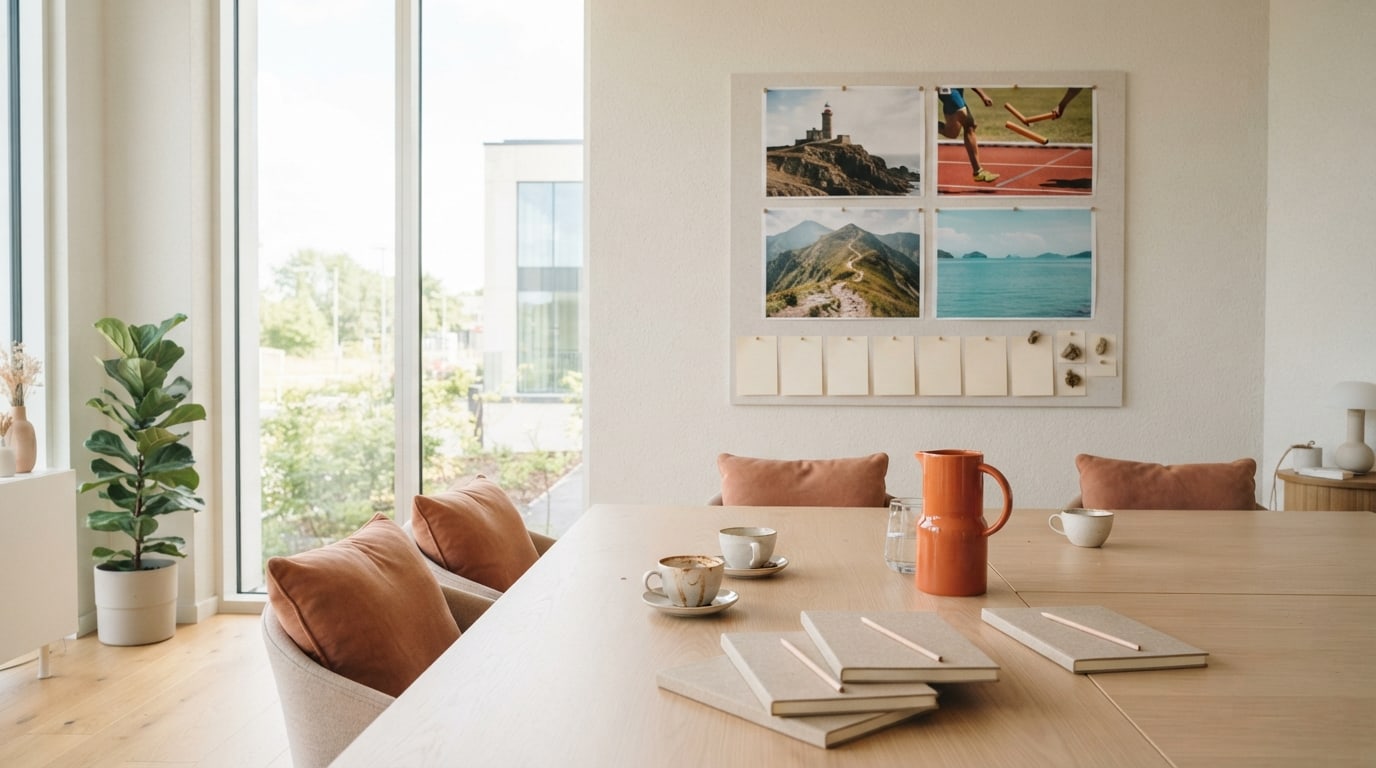
A vision board for work team sessions is one of the simplest ways I know to get a group pointing the same way. It is not a strategy document and it is not a performance review. It is a shared picture of where the team is heading, built by the people who will get it there, with each person’s part visible.
This is a facilitator’s plan. Use it whether you lead the team or simply volunteered to run the session. For using a board on your own at work, see my guide to a vision board for work. Here, the whole team builds one together.
What do you need to decide before a team vision board session?
Three things. First, the horizon: the next quarter, the next six months or the next year. Shorter horizons suit teams in fast-moving work, while a year suits teams planning bigger shifts. Second, the scope: is this board about the team’s work, its ways of working, or both? Third, the format: a physical board in a meeting room, or a shared screen for hybrid and remote teams. An online vision board works well when some people dial in, because everyone adds to the same grid at once.
Book ninety minutes, invite the whole team and say in the invitation what the session is for. “We are building a shared picture of where the team is heading, and each of us will add one square” sets the right tone.
How do you run a 90 minute vision board for work team session?
Minutes 0 to 10: open with a question
Go round the room with one quick question, such as “what part of our work are you proudest of right now?” It warms people up and reminds everyone what is already working.
Minutes 10 to 30: agree three shared words
Ask everyone to write, in silence, three words for how they want the team to be at the end of the horizon. Stick them up, group similar ones, and vote with dots. The three words with the most dots become the heart of the board. Silent writing first means the quietest people are heard as much as the loudest.
Minutes 30 to 50: choose shared images
For each word, pick one image together. Print a mixed pile beforehand, or search together on screen. “Steady” might become a lighthouse. “Bold” might become a climber on a ridge. Images give the words a feeling people remember.
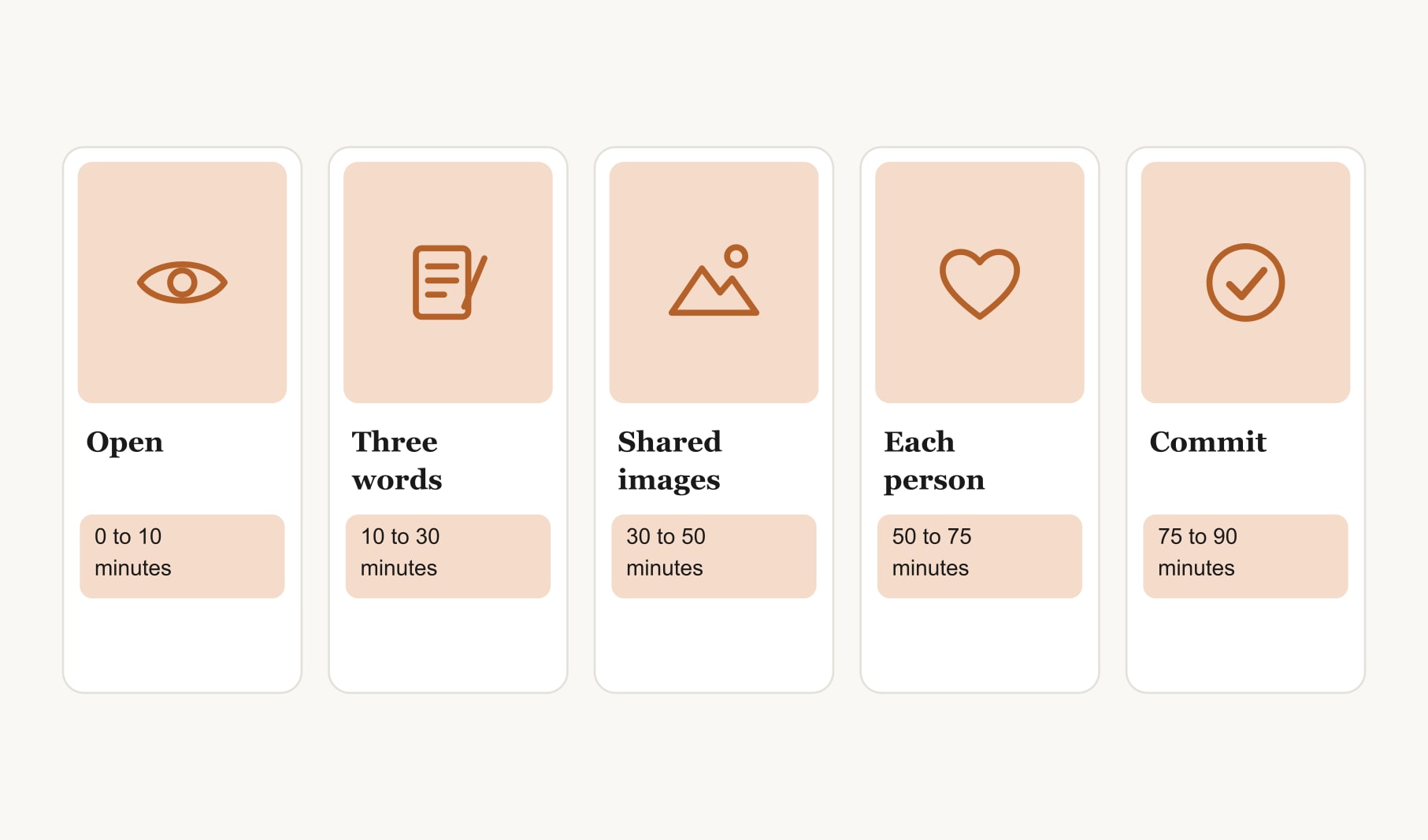
Minutes 50 to 75: each person adds a square
Now everyone adds one square of their own: a goal that serves the shared vision, with an image, a date and a first step. A support specialist might add “answer every query within a day, first step: draft five template replies.” A designer might add “run user testing every sprint, first step: book three users.” Personal squares are about contribution, never targets set by someone else.
Minutes 75 to 90: commit and close
Go round once more. Each person reads their square aloud in one sentence and names their first step. Agree when the team will look at the board together next, then thank everyone for their time.
What ground rules keep a team vision board healthy?
- Nobody is judged on their square. It is a commitment, not a scorecard.
- Personal life stays optional. Some people enjoy adding a personal note, and nobody has to.
- Every voice counts the same. Silent writing and dot voting help with that.
- The board can change. If priorities shift, the board shifts with them.
If you lead the team, consider adding your own square last, so you are not setting the tone for everyone else.
How do remote and hybrid teams build a vision board together?
Run the same agenda on a video call with a shared screen board. Use a timer for the silent writing, ask people to add their words directly to the board, and use reactions or a simple poll for voting. Keep cameras optional during the quiet building time. For hybrid teams, put everyone on their own laptop, even the people in the room, so nobody becomes a spectator. A team vision board template gives remote teams a ready grid to start from.
How do you keep a team vision board alive after the session?
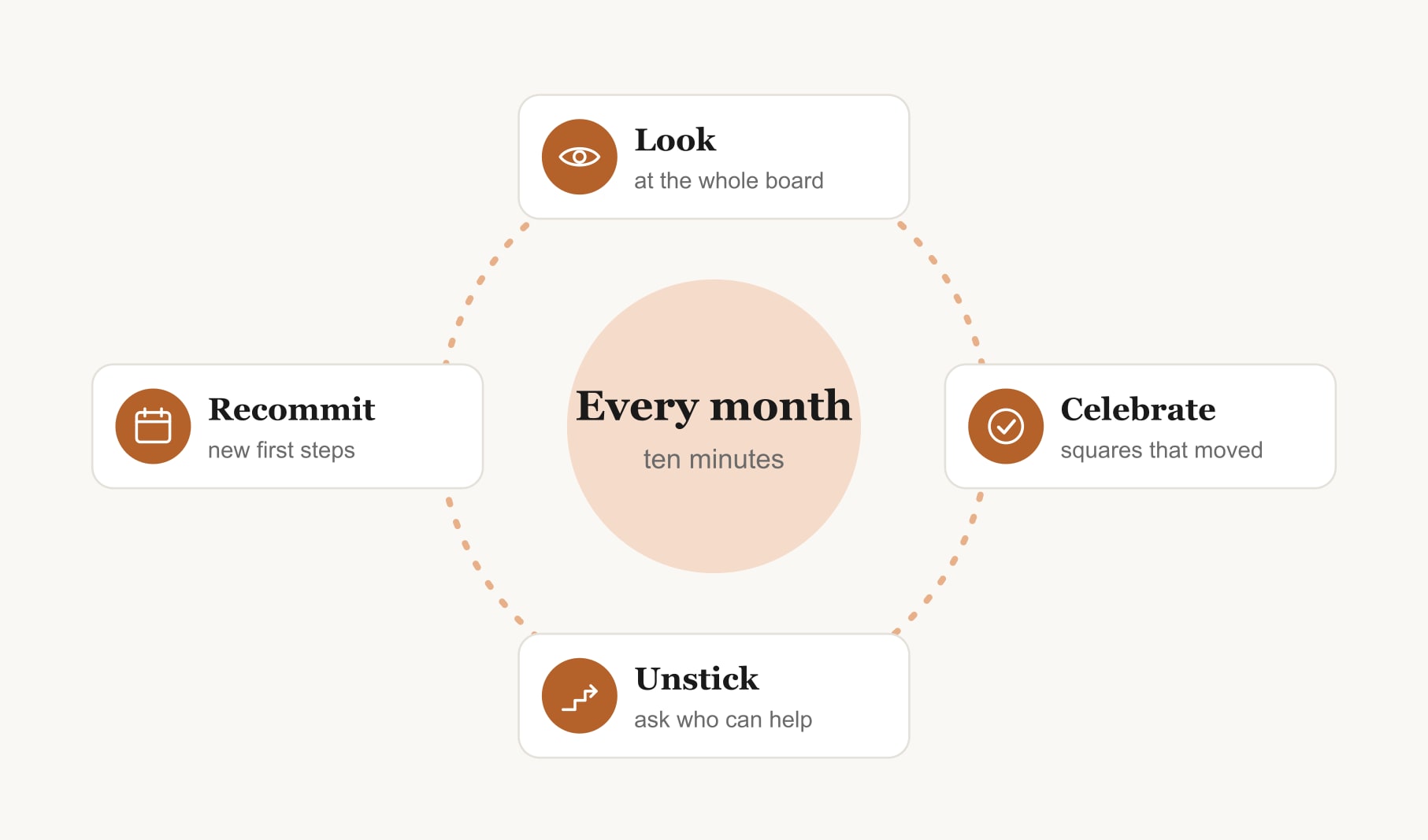
Build it into a meeting you already have. At the start of one team meeting a month, spend ten minutes on the board: look at it, celebrate any square that moved, ask what is stuck and how others could help, and let people update their first steps. Every quarter, retire finished squares and agree any new ones. A shared goal tracker for your vision board keeps each square’s progress in one place between meetings.
What does a finished vision board for a work team look like?
Picture a customer support team’s board for the next six months. In the centre, three words: steady, kind and quick, each with an image: a lighthouse, two mugs on a sunny table and a relay baton mid-pass. Around them, eight squares, one per person. “Answer every query within a day.” “Write the help article everyone keeps asking for.” “Learn the new booking system first and teach the team.” “Leave on time on Fridays.” Each has a date and a first step. It fits on one wall, and every person can point to their part of it.
What goes wrong with team vision boards, and how do you avoid it?
The most common problem is a board built by the manager and presented to the team. People nod and forget it. Build it together, even if it takes longer. The second is no follow-up: a board made in a workshop and never mentioned again. Book the monthly check-in before the session ends. The third is squares that are really targets handed down. Keep personal squares in each person’s own words, and the board stays something people want to look at.
Can a team vision board support bigger goals?
Yes. When a team is working toward a big milestone, like a new service, a merger or an office move, the board becomes a calm reference point. For goals on that scale, a goal setting success vision board layout helps break the milestone into dated squares that each person can own. The shared words stay at the centre, so even a demanding season keeps its sense of direction.
Keep reading
Vision board for work team: your questions
A vision board for a work team is a shared visual picture of where the team is heading over a set horizon, such as six months. It usually holds a few agreed words and images at the centre, plus one square per person showing their contribution, each with a date and first step.
A work team vision board session takes about ninety minutes: ten to open, twenty to agree shared words, twenty to choose images, twenty-five for personal squares and fifteen to commit and close. Smaller teams can finish sooner, while larger teams may need a longer slot.
Anyone comfortable keeping time can run a work team vision board session. A team member often works better than the manager, because the manager can then take part as an equal. The facilitator keeps the agenda moving, protects quiet voices and makes sure follow-up is booked.
Run the team vision board session on a video call with a shared screen board, and ask everyone, including people in the room, to work on their own laptop. Use timed silent writing and simple polls for voting, so remote colleagues contribute exactly as much as anyone else.
Personal goals on a work team vision board should stay optional. Each person’s square works best as a contribution to the shared vision, written in their own words. Some people like adding a personal note, such as leaving on time, but nobody should feel obliged to share.
Review a work team vision board for ten minutes at one team meeting each month, celebrating progress and unblocking stuck squares. Every quarter, retire finished squares and agree new ones. Booking the first check-in before the session ends makes the review far more likely to happen.
Disagreement during a team vision board session is useful. Silent writing and dot voting surface every view fairly, and the facilitator can ask what each word means to people before voting. If two directions remain, choose one for this horizon and note the other for the next review.
Keep your vision board alive
A board built in your browser resets when you close the tab. Vision Boardly saves your boards, reminds you as each vision date arrives, and tracks the habits and moods moving you toward them.
Get Vision Boardly Free