Best Vision Board Software 2027
For people who like to design on a big screen and print the result. Seven tests to judge any vision board software in an evening.
The best vision board software for 2027 gives you flexible layouts, high-resolution printing, easy image editing, room for goal dates and first steps, private storage, simple exports for wallpapers and prints, and a way to keep the board alive after it is made. Test each option against these points before building a full board.

Some people want their board on their phone. Others want to sit at a big screen, design something beautiful and print it for the wall. This guide is for the second group. Rather than rank the best vision board software 2027 has to offer, which changes every few months, I will give you seven tests to judge any option yourself. For the phone side, see my guide to the best vision board apps 2027.
What makes the best vision board software 2027 worth using?
Two things: it helps you make a board you love, and it helps the goals on that board move. Plenty of design tools do the first. The best vision board software does both, or at least makes it easy to carry your board into the tools that do.
Test 1: How flexible are the layouts?
Look for both neat grids and freeform arrangements, plus easy resizing and alignment. A good layout tool lets you try a grid of nine, a timeline and a collage in the same evening without starting over.
Test 2: Does it print well?
Export a test board at full size and print it. Are the images sharp? Are colours close to the screen? A board that looks lovely on a monitor but prints blurry will disappoint on the wall.

Test 3: Can you edit images inside it?
Cropping, simple filters for a consistent look and clean text tools save a lot of time. A consistent filter across every image is one of the easiest ways to make a board look finished, a trick borrowed from digital collage artists.
Test 4: Is there room for goal dates and first steps?
This is the one most design tools miss. You should be able to add a caption with a month and a first step under every image without the layout falling apart. That line is what turns a pretty board into a plan.
Test 5: Where are your images and boards stored?
Your board holds personal hopes and often personal photos. Check where files are saved, whether they are private by default and whether you can delete them. Software that stores everything locally on your computer is often simplest for privacy.
Test 6: How easy are exports?
You will want a large print file, a phone wallpaper size and a desktop wallpaper size. The best software makes all three in a click or two. If you have to rebuild the board for each size, you will stop updating it.
Test 7: Does it help you keep the board alive?
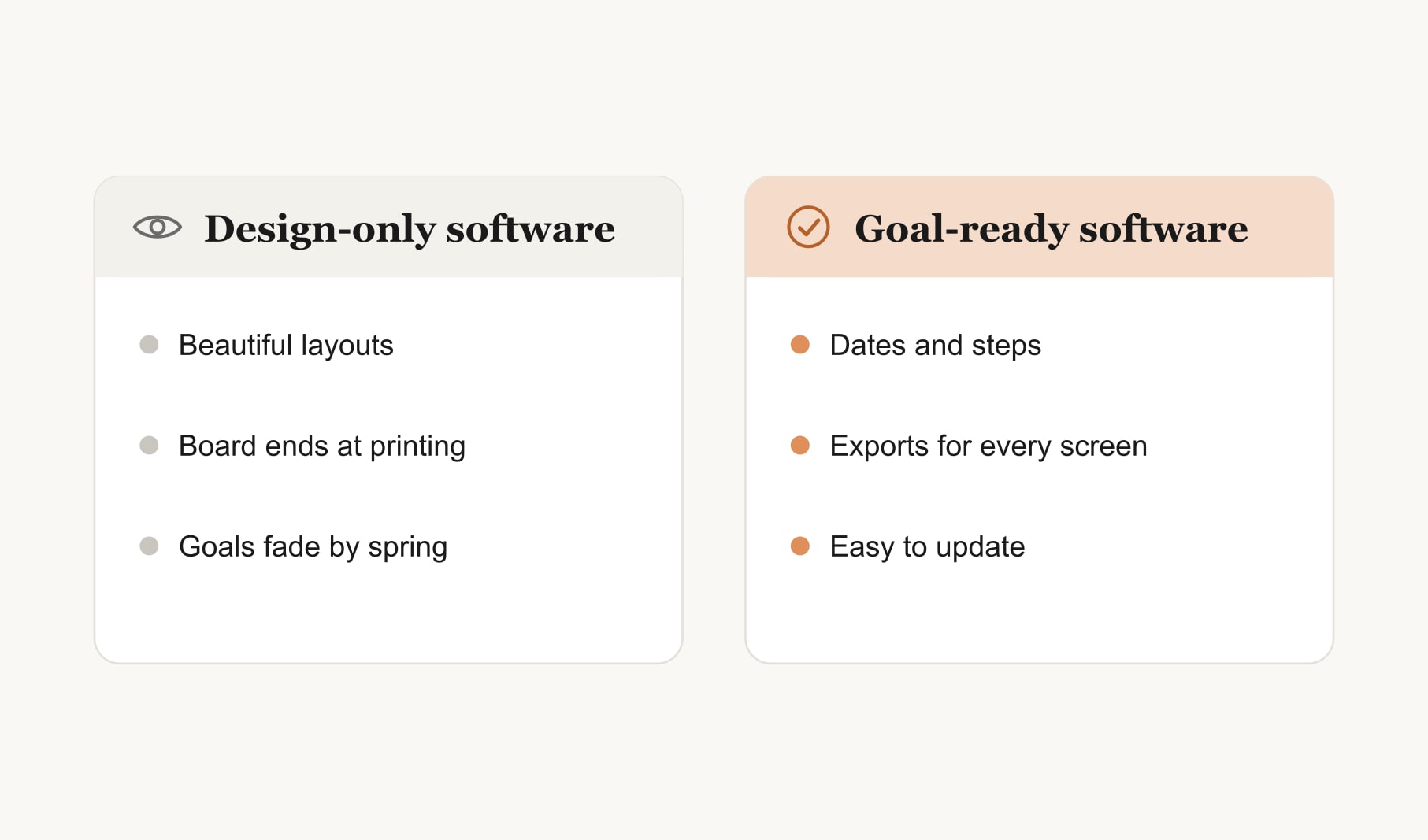
Most design software stops once the board is made. That is fine if you pair it with a simple follow-up habit, like a weekly review and a goal tracker for your vision board. What matters is that the goals keep moving after the printing is done.
What does a good software-made board look like?
A clean grid of six to nine images with the same soft filter applied to each. A word across the top in an expressive font, and small captions in a simple one: a month and a first step under every picture. Plenty of white space. Printed on matte paper and pinned above a desk, with the same file saved as a phone wallpaper. It takes about an hour, and it looks like it came from a design studio.
What should you avoid in vision board software?
Tools that add watermarks to your exports, lock your board in a format you cannot open elsewhere, fill the screen with distracting templates or make simple edits slow. If updating one caption takes more than a minute, you will stop updating it.
Can you use ordinary office software?
Yes. Many people build lovely boards in a word processor or presentation program they already have. My guide to making a vision board template in Word walks through it. It lacks some design features, but it is familiar, and familiarity means you will actually use it.
Software or a browser tool?
Desktop software suits people who love designing and printing. A browser tool suits people who want to start in minutes without installing anything. Both can produce a beautiful board. For a step-by-step walkthrough in either, see my guide on how to make a digital vision board.
How do you decide between two good options?
Build the same small board of three goals in each. Print it, set it as a wallpaper and update one caption a week later. The one that made all three steps feel easy is your answer. Features matter, but ease of updating matters more.
Keep reading
Best vision board software 2027: your questions
The best vision board software for 2027 offers flexible layouts, sharp printing, simple image editing, room for goal dates and first steps, private storage, easy exports for prints and wallpapers, and a way to keep the board updated. Test options against these points before choosing.
Good vision board software should have grid and freeform layouts, high-resolution printing, cropping and simple filters, captions for dates and first steps under every image, private storage and one-click exports for print, phone wallpaper and desktop wallpaper sizes, so updating the board stays easy all year.
Vision board software suits people who like designing on a big screen and printing, while apps suit people who want reminders and their board on their phone. Neither is better for everyone, and many people design in software and view the result on their phone.
Yes. You can make a vision board in a word processor or presentation program you already own. It lacks some design features, but a simple grid of images with captions for dates and first steps works well and prints cleanly on standard paper.
Export the board at full size as a high-resolution image or PDF, then print it at home on matte photo paper or at a print shop for richer colour. Print a small test first to check that images are sharp and colours match the screen.
Build the same three-goal board in each option, print it, set it as a wallpaper and update one caption a week later. The vision board software that made all three steps feel easy is usually the right long-term choice for you.
No. You can make a vision board on paper, in a free browser tool or in office software you already have. Dedicated vision board software helps if you love designing and printing, but the goals on the board matter far more than the tool.
Keep your vision board alive
A board built in your browser resets when you close the tab. Vision Boardly saves your boards, reminds you as each vision date arrives, and tracks the habits and moods moving you toward them.
Get Vision Boardly Free