How to Make a Vision Board for Work
Start from your actual job, not a stock photo of success. Seven steps, about an hour, and a board that fits on your desk or your laptop.
To make a vision board for work, gather your job description, last review notes and calendar, then choose three work areas. Write one goal per area that you control, find an image for each, pick a format that suits your workspace, add a date and first step, and review it in your weekly planning slot.
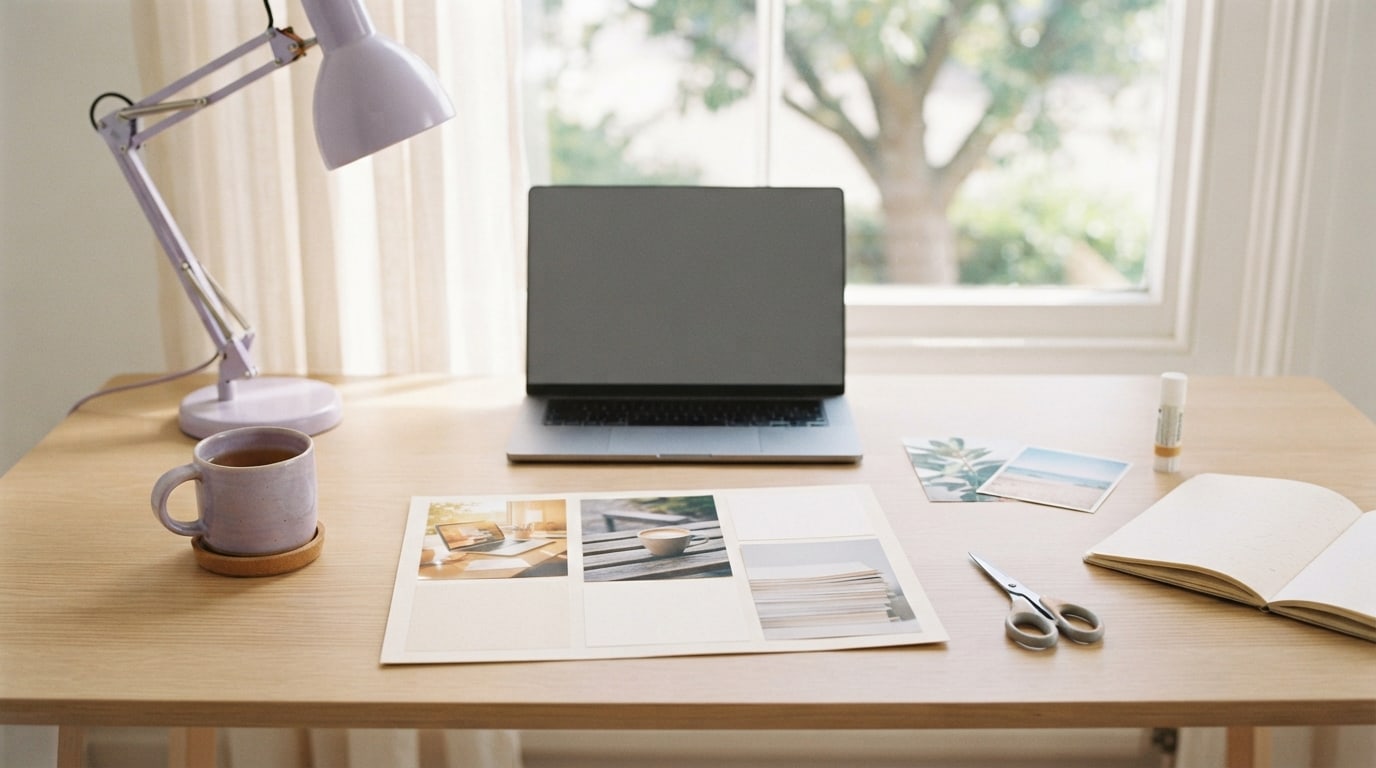
Most guides on how to make a vision board for work start with pictures. I start with paperwork. Your job description, your last review and your calendar already tell you where your working life is heading and where it is stuck. Build the board from those, and it fits your real job instead of a stock photo of success.
This takes about an hour. If you want ideas to borrow first, my list of vision board ideas for work is a good warm-up. Here, we build.
Step 1: What should you gather before you start?
Pull together three things. Your job description, or a few lines on what your role is for. Notes from your last review, appraisal or one-to-one, including anything you were asked to grow. And your calendar for the last two weeks. Read through them with one question in mind: what would make the next few months of work genuinely better?
Step 2: Which work areas should the board cover?
Choose three. More than that and a work board starts competing with your to-do list. Common areas are daily focus, a skill to grow, a project to deliver, relationships at work and balance. Your calendar usually points to one: if every morning is meetings, focus is your area. Your review often points to another. The third is the one you care about most.
Step 3: How do you write a work goal you control?
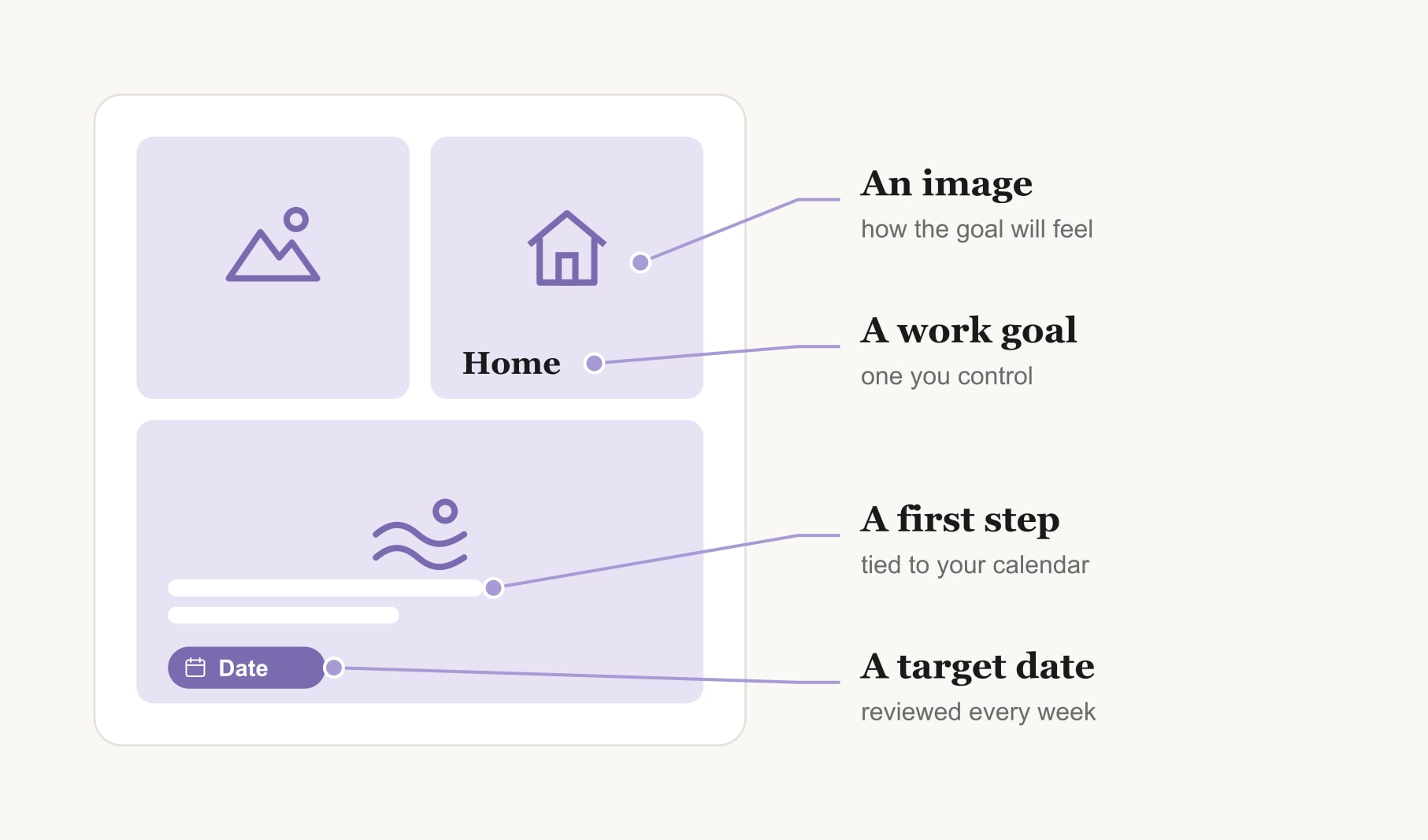
Write one sentence per area, about something within your power. “Be picked for the leadership programme” depends on other people. “Apply for the leadership programme with a strong case by the deadline” is yours. “Be less busy” is vague. “Two clear mornings a week with no meetings” is clear. This step does most of the work, so take your time over it.
Step 4: What images suit a vision board for work?
Choose an image for each goal that captures how it will feel, not just what it is. A clear desk in morning light for focus. A finished report on a table for a project. A walking path for a proper lunch break. Your own photos work beautifully: the view from an office you love, or a moment from a project you were proud of. Keep the images professional enough that you would not mind a colleague seeing them.
Step 5: Which format suits your workspace?
Pick the format you will see while working. A postcard-sized board propped against your monitor suits a desk of your own. A laptop wallpaper suits hot-desking and remote work. A first page in your work notebook suits shared or open spaces where you prefer privacy. If you want to build it on screen, a digital vision board maker lets you click any square to add your own image, with room for a date and caption.
Step 6: How do you add dates and first steps?
Under each image, write a target date and the first step you will take this week. “Two clear mornings a week with no meetings, by the end of the month. First step: block Tuesday and Thursday mornings today.” Research on implementation intentions, plans that say exactly when and where you will act, suggests that a first step like this makes follow-through more likely than the goal alone.
Step 7: When should you review a work vision board?
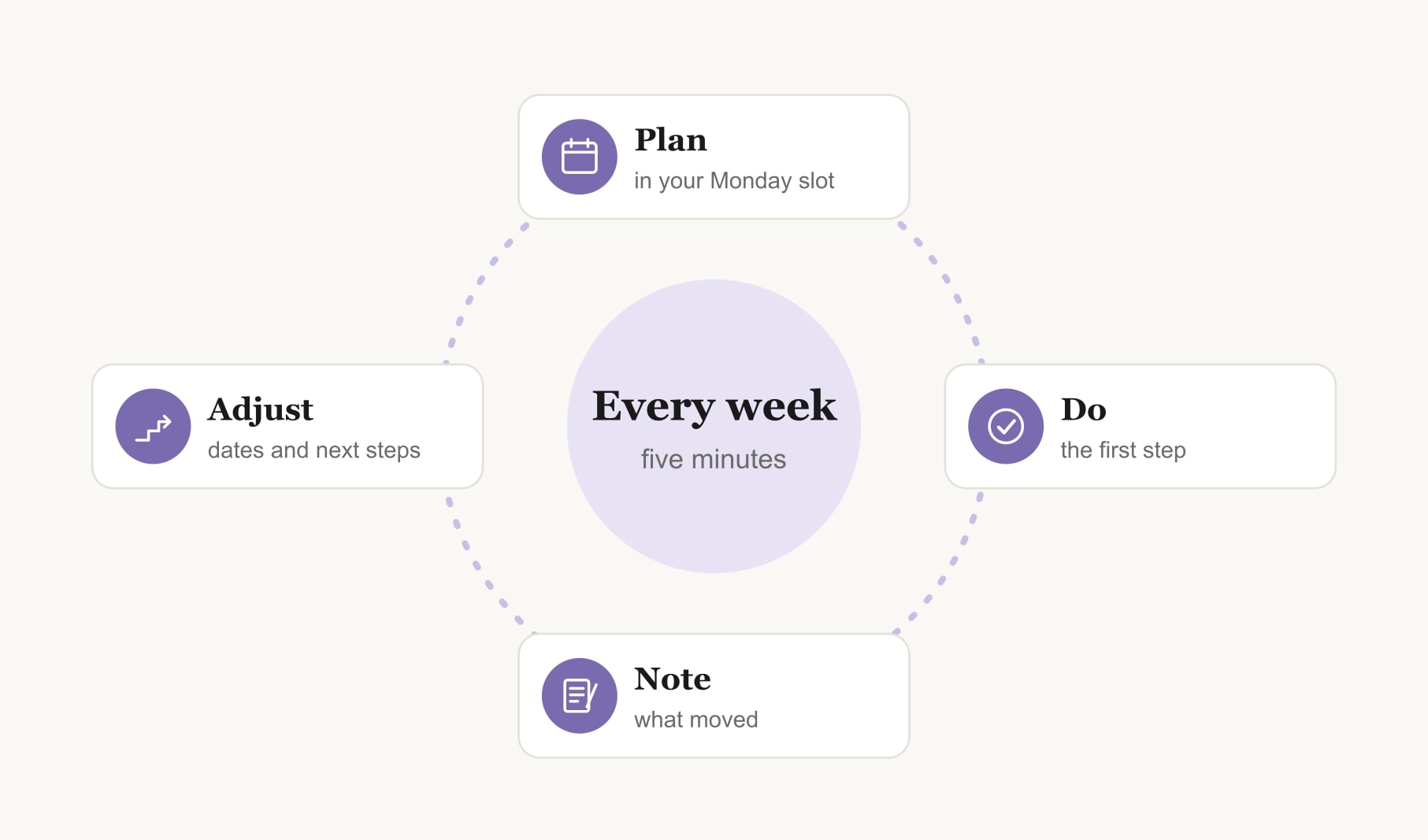
Tie the review to a slot that already exists: your Monday planning time, your Friday wrap-up or the day before a one-to-one with your manager. Spend five minutes. Which goal moved? What is the next step? Which date needs to shift? A goal tracker for your vision board keeps the progress in one place, so the review takes minutes, not an afternoon.
What does a finished vision board for work look like?
Here is a three-square example built with these steps. A clear desk by a window: “two clear mornings a week with no meetings, first step: block them in the calendar today.” A neat stack of finished slides on a table: “lead the next client project, first step: say I want it at my next one-to-one.” A coffee cup on a bench outside: “a real lunch break three days a week, first step: put it in the calendar like a meeting.” Three goals, each one tied to the job itself, each one small enough to start this week.
What mistakes should you avoid when making a work vision board?
The most common one is starting with images before goals, which leaves you with a pretty board that points nowhere. The second is writing tasks instead of goals: “send the report” belongs on a to-do list, while “deliver reports a day early so I can review them calmly” belongs on the board. The third is hiding the board so well that you never see it. And the fourth is building it once and forgetting it. A work board earns its place in the weekly review.
How do you make a vision board for work if you work shifts or from home?
The same seven steps apply, with two changes. Shift workers often get the most from goals about energy and days off, so let your rota guide step 2 the way a calendar guides it for desk workers. Keep the board where you start every shift: a locker door, a card in your bag or your phone lock screen. If you work from home, the risk is the opposite: work spreads into every room. Give one square to a clear finish time, and keep the board in your workspace rather than your living space, so it belongs to work hours only.
How often should you rebuild your work vision board?
Rebuild it each quarter, or whenever your role changes: a new job, a new manager, a new team or a big project ending. Gather the same three things again, and you will find the next set of goals almost writes itself. For longer-range thinking about where your work is heading, a career goals vision board sits nicely alongside it.
Keep reading
How to make a vision board for work: your questions
Gather your job description, last review notes and calendar, then choose three work areas. Write one goal per area that you control, find an image for each, choose a format that suits your workspace, add a date and first step to every goal, and review the work vision board weekly.
Making a vision board for work takes about an hour. Allow twenty minutes to read your role notes and calendar and write goals, twenty to find images, and twenty to lay out the board and add dates and first steps. A digital board can be quicker.
Goals on a vision board for work should be within your control: protected focus time, a skill to build, a project to lead, a relationship to grow or a boundary to hold. Pair any goal that depends on others, like a promotion, with the steps you can take yourself.
Keep a work vision board wherever you see it while working: a small card by your monitor, your laptop wallpaper or the first page of a work notebook. In shared or open spaces, a digital or notebook version keeps personal goals private while still visible to you every day.
Sharing a work vision board with your manager is optional. Many people bring one goal to a one-to-one, such as a project they want to lead, because it opens a useful conversation. Keep private goals, like a future job move, on a personal vision board instead.
Review a vision board for work for five minutes each week, ideally in a planning slot you already have. Rebuild it each quarter, or when your role, manager or team changes. Regular updates keep the goals tied to your actual job rather than last season’s priorities.
Yes. A vision board for work suits a computer well, especially for hot-desking or remote work. Build a simple grid of three to six images with captions, dates and first steps, then set it as your desktop wallpaper so you see it every time you start work.
Keep your vision board alive
A board built in your browser resets when you close the tab. Vision Boardly saves your boards, reminds you as each vision date arrives, and tracks the habits and moods moving you toward them.
Get Vision Boardly Free